
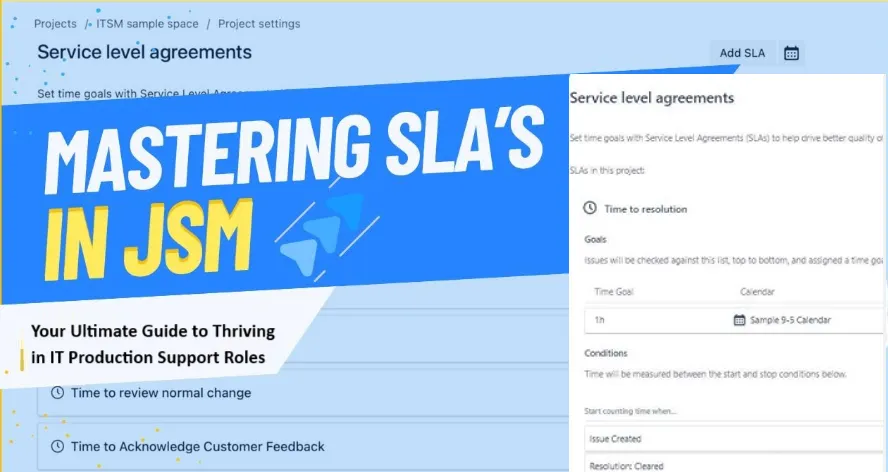
🔧 Mastering SLAs in Jira: Your Ultimate Guide to Thriving in IT Production Support Roles
SLAs in Jira aren’t just timers—they're the pulse of IT support. This guide dives deep into setting, tracking, and mastering SLAs for real success in L1, L2, and L3 roles.
If there’s one thing I wish someone had told me when I first entered IT production support, it’s this: don’t underestimate the power of an SLA.
Sure, SLAs (Service Level Agreements) might sound like contractual jargon—boxes to check, metrics to meet. But trust me, if you work in L1, L2, or L3 support, especially using Jira, SLAs can make or break your performance, reputation, and even your peace of mind. I've been on both ends—scrambling to resolve a Sev1 ticket minutes before SLA breach and basking in the joy of delivering solutions before anyone expected them.
So let’s break this down—not like a robot, not like a manual, but like two IT professionals talking honestly over coffee. This guide is built to help you not only understand SLAs but master them like a pro, using Jira as your battlefield.
🚀 What Exactly Is an SLA?
At its core, an SLA is a promise—between you (the support provider) and your customer (internal, external, or vendor).
In Jira, SLAs are defined metrics to ensure:
- ⏱ Time to First Response: How quickly you acknowledge a ticket.
- 🛠 Time to Resolution: How fast you fix it and close it.
These aren’t just vanity stats—they’re your performance report card. They help manage expectations and reduce chaos. Ever had a user breathing down your neck? An SLA ensures they don’t need to—because the system itself tracks performance.
🔍 Types of SLAs You Must Know
SLAs aren’t one-size-fits-all. Depending on who you’re serving, they can take different forms:
1. Customer SLA
External customer? Think of e-commerce clients, banks, hospitals—real end-users with real money on the line.
Example: An online banking customer expects a payment failure issue resolved in 4 hours.
2. Internal SLA
Supporting another team within your company? This is your playground.
Example: The finance team logs a ticket because payroll software isn’t syncing. You’ve got 8 hours to fix it.
3. Vendor SLA
You’re relying on a third-party provider—cloud, database, or external apps? Time to hold them accountable.
Example: Your hosting provider guarantees 99.9% uptime. When they fall short, your SLA holds the receipts.
💡 Why SLAs Matter (More Than You Think)
If you’ve ever questioned the real-world value of SLAs, let me clear that up with some brutally honest insights:
✅ They Boost Productivity
When a P1 ticket says “resolve in 2 hours,” guess what? You move. No procrastination.
✅ They Improve Resource Allocation
If 50% of your L2 tickets breach SLAs every Friday, guess what? You need more engineers on Fridays. Simple.
✅ They Build Customer Trust
SLAs build predictability. And predictability builds trust. Even when things go wrong, people stay calm if they know you’re within SLA.
✅ They Make YOU Look Good
Want that promotion or salary hike? Show your manager your SLA compliance stats. Numbers speak louder than emails.
🔧 How SLAs Work in Jira: A Real-World Walkthrough
Let’s get real. Here’s how you deal with SLAs in Jira.
Step 1: SLA Metrics
Set your expectations:
- Time to First Response: 2 hours
- Time to Resolution: 4 hours
Every ticket logged gets these timers slapped on them.
Step 2: Live Ticket Scenario
Let’s say you’re L2 support and a ticket comes in:
Subject: “Website checkout failing for 10% of users.”
You assign it, acknowledge it (that’s your first response), and get working. Jira now tracks:
- ⌛Response Timer: You have 2 hours.
- ⌛Resolution Timer: You have 4 hours.
Step 3: Jira Dashboard Magic
Your Jira dashboard will show something like:
🔴 “25 minutes left to respond”
🟡“3 hours left to resolve”
This is your heartbeat monitor. Ignore it at your own risk.
🎯 Priority & Severity: Your SLA’s Best Friends
SLAs are deeply tied to two things:
- Priority: Business impact.
- Severity: Technical depth.
Here’s how they play together:
| Impact | Severity | Priority (P) |
|---|---|---|
| High | Sev0 | P1 |
| High | Sev1 | P2 |
| Medium | Sev0 | P2 |
| Medium | Sev1 | P3 |
| Low | Sev2 | P4 |
A broken production server = P1.
A typo on a low-traffic page = P5.
Your SLA timers will be shorter for P1 tickets and more generous for P5.
🛠 Setting Up SLAs in Jira: Admin View
Here’s what your Jira admin does (and what you can learn if you’re interested in moving up!):
- Navigate to Admin Settings
- Open SLA Configurations
- Set Conditions
- Priority = High → 2-hour response, 4-hour resolution
- Priority = Medium → 4-hour response, 8-hour resolution
- Add Goals
- SLA name, time goals, time zones
- Trigger Alerts
- Color-coded warnings
- Email alerts before SLA breaches
Pro Tip: Use automation rules to escalate SLA breaches to seniors automatically.
🔄 Real Use Case: Let’s Simulate a Day in Your Life
You log in, and a new ticket appears:
“System crashed during payment.”
It’s auto-assigned as:
- Priority: P1
- SLA: 2-hour resolution
You respond within 30 mins, mark as “In Progress.”
You check logs (maybe via Splunk), identify the error, roll back a buggy update, test it, and mark as Resolved within 1.5 hours.
🎉 SLA met! Customer happy. Manager impressed. You, calm and confident.
😬 What If You Miss an SLA?
Hey, we’ve all been there.
Maybe there was a system-wide outage, or someone was on leave. Jira will log the SLA breach. What you should do:
- Leave a detailed comment in the ticket.
- Inform your team lead or manager.
- Update any post-mortem documentation if needed.
- Look for patterns to prevent repeats.
Don’t Just “Follow” SLAs—Own Them
Mastering SLAs in Jira isn’t just about compliance—it’s about professional maturity. Once you understand them, you control your day, not the other way around.
You’ll know what to tackle first, how to pace your work, and when to escalate. You’ll feel the rhythm of support work—and that rhythm is what separates a decent support engineer from a great one.
❓ FAQ: Mastering SLAs in Jira for IT Support
Q1. Can I customize SLA time frames per priority level in Jira?
Yes. Jira allows you to define different SLA goals for each priority—P1, P2, etc.—using the SLA configuration settings.
Q2. What happens when an SLA is breached in Jira?
Jira logs the breach, visually marks it (usually red), and updates the ticket history. You can set automated alerts or reports for such breaches.
Q3. Do SLA timers pause on weekends or holidays?
Yes, if your working calendar in Jira is configured correctly. You can exclude non-working hours from SLA tracking.
Q4. Can I view SLA reports for my team?
Yes. Jira Service Management provides dashboards and reports showing SLA compliance across projects and agents.
Q5. Are SLA metrics visible to customers?
If you're using Jira Service Management, yes—customers can see SLA timers on their portal, depending on settings.
Q6. What’s the difference between SLA and OLA?
SLA is customer-facing (external or internal), while OLA (Operational Level Agreement) is internal between teams—like L1 to L2 support.
Ready to dominate Jira SLAs like a pro?
Bookmark this guide, share it with your support team, and turn every SLA countdown into a success story. 👨💻💥